
Cooking event grow a garden: how the Roblox event works
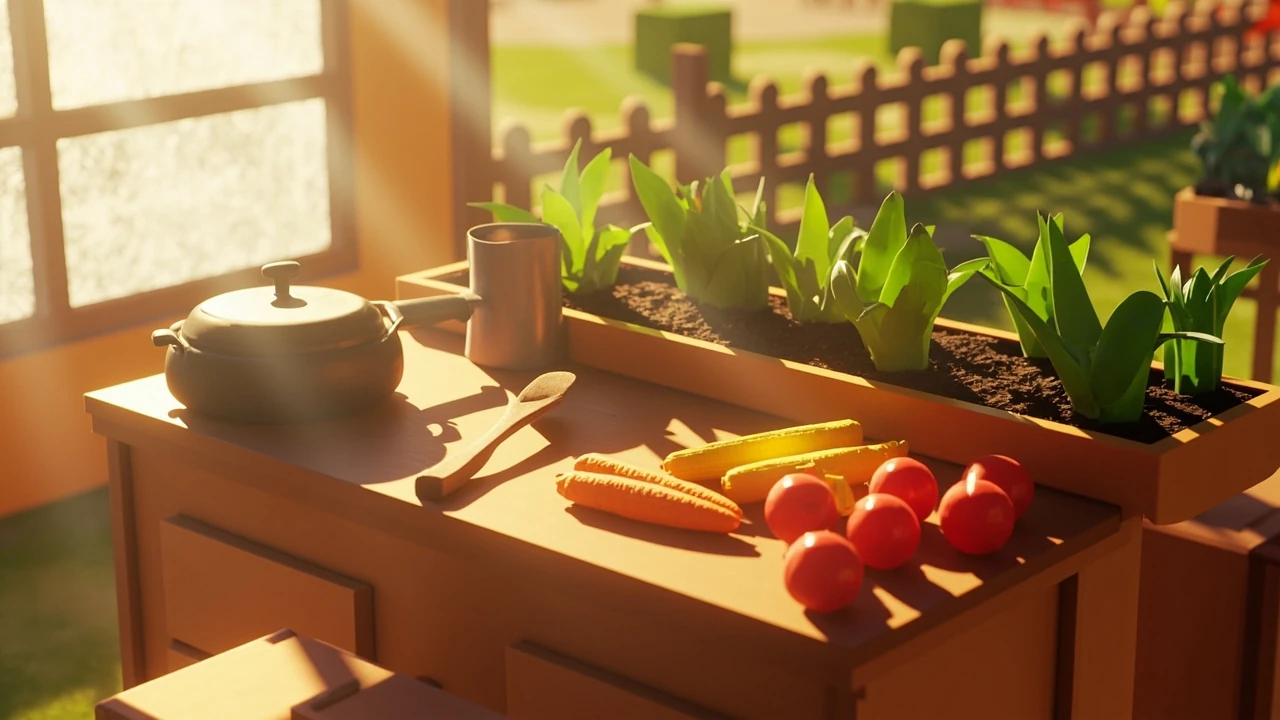
The cooking event grow a garden is a limited-time crossover inside the Roblox farming sandbox Grow a Garden, in which a temporary cooking station appears in the player’s plot and turns harvested crops into dishes that feed pets, grant temporary stat boosts, or unlock event-only cosmetics. Players who already maintain crops when the event starts get a smoother onboarding path, because the recipes require specific plant yields rather than a one-off ingredient drop, and the event does not bypass the base growing loop. This article walks through how the event is structured, what a player can realistically prepare before it goes live, where the implementation choices reflect standard Roblox live-event design, and which parts of any third-party guide you should treat with caution.
What follows is written for English-speaking Roblox players who already understand the basic plot loop but want a practical read on what the cooking event changes and what it does not. The tone is editorial rather than promotional, and the goal is to leave a reader with a working mental model of the event so they can adapt when the next iteration ships with different recipes, different timers, or a different community reward bar.
What the cooking event actually is in Grow a Garden
Grow a Garden is a Roblox farming and pet-collecting experience built by a small independent team, and it has built a large concurrent player base by leaning into casual, low-stakes progression. The cooking event is a time-boxed gameplay layer on top of the base growing-and-harvest loop. Rather than introducing a new map, the event transforms a corner of the existing plot into a functional kitchen where harvested plants become inputs for recipes. Because the team already knows what players have in their inventories, the event is tuned around the produce that the average plot can grow in a single in-game day, not around items that would require a fresh grind.
From a design standpoint, the event follows a familiar Roblox live-event pattern:
- A new interactive object, in this case the kitchen station, is added to the existing world for a fixed window.
- Crops that players already grow become required recipe ingredients.
- Event output feeds back into the core progression: feeding pets, unlocking event-only seeds, or contributing to a community progress bar.
- After the timer expires, the kitchen either becomes decorative or is removed entirely until the next return.
Players often expect a cooking event to be a stand-alone minigame, but in practice the cooking station is a converter, not a replacement. The growing loop is still the supply chain, and the cooking station is the demand sink that gives surplus crops a purpose during the event window. If a player has been neglecting their plot for weeks, the event will not suddenly fix that. It will simply expose the gap, which is why seasoned players tend to use the days before an event to tighten up their rotation rather than to plan around the kitchen itself.
It is also worth noting that the cooking event is not a permanent feature. Past updates in the same genre have rotated cooking out after two or three return windows, and there is no public commitment that the kitchen mesh will remain in the build indefinitely. Players who get attached to a specific dish or a specific event seed should treat the window as a deadline, not as a recurring safety net.
How the event fits the Grow a Garden core loop
Most successful Roblox farming games use a four-stage loop: plant, grow, harvest, spend. Grow a Garden already adds a fifth stage in the form of pet care, where harvested crops are also used as pet food. A cooking event extends the spend stage rather than replacing it, which is important for balance because the developers do not want to invalidate existing pets or seeds that players may have already invested in. The event is also intentionally priced in ingredients, not in Robux, which keeps it accessible to younger accounts.
| Loop stage | Normal play | During the cooking event |
|---|---|---|
| Plant | Player chooses seeds from the shop or inventory. | Same selection, but a few event-restricted seeds may appear in the shop. |
| Grow | Crops mature on a timer based on species and weather. | Unchanged; timers are not accelerated for the event. |
| Harvest | Player collects produce, restocks, or feeds pets. | Same collection step, but harvested crops may qualify as recipe ingredients. |
| Spend | Player sells crops, feeds pets, or trades. | Player can route crops to the kitchen station for dishes and event rewards. |
| Pet care | Pet happiness and progression run on a separate timer. | Dishes can substitute for raw crops in pet feeding, sometimes with a bonus. |
The reason this distinction matters is that beginners sometimes treat the cooking station as a separate game mode and ignore the rest of their plot. Experienced players do the opposite. They treat the event as a tax on the same growing output they already have, which is why pre-event planning focuses on plot layout, not on a separate cooking checklist. The cooking station is the most visible part of the event, but the actual work happens in the soil before the timer starts.
There is also a quiet secondary effect on the social layer. Because the community progress bar requires cooked dishes rather than raw harvests, players who normally play solo in their own plot find themselves contributing to a shared goal simply by cooking. That tends to nudge more players into the in-game chat during the event, even if they never group up for a co-op recipe, which is a side benefit the developers clearly understand and lean into.
Prerequisites before the event starts
Because the event uses existing crops as inputs, the most useful preparation happens before the kitchen ever appears. A player who walks in with a half-empty plot will feel the recipes are unfair, while a player who has maintained a steady rotation will find the event almost easy. There is no tutorial prompt for any of this, so the responsibility falls on the player to read the patch notes and the developer’s social channels a day or two in advance.
- Confirm the event window. Roblox live events run on a fixed timer tied to the server clock. Joining late in the window means fewer recipe attempts, so check the in-game banner or the developer’s social channels for the exact start and end timestamps in your local time zone. Roblox itself does not always convert the timer cleanly, so a manual note in your own calendar is the safer option. Players in different regions also report slight drift between the displayed countdown and the actual server-side cutover, which can cost a final recipe attempt if the player trusts the UI alone.
- Audit current crops. Open your inventory and identify which plant species you already have in active rotation. Event recipes usually favour common crops so that new players are not locked out, but rare variants can speed up advanced recipes. If your plot is dominated by a single species, the audit is the moment to find that out. It is also the moment to decide whether to spend the next two in-game days diversifying, or to accept that you will fall behind on a few high-tier recipes.
- Free up plot space. Remove any decorative plants that are blocking tilled soil, because a denser plot produces more harvestable yield per event hour. During a short event, a single decorative prop that covers four squares of soil can cost you several recipe attempts. The cleanup is reversible, but the lost yield is not, so the decision should be made at least one cycle before the event starts.
- Stockpile ingredients only if the event is short. If the event runs for a day or less, having even a small surplus on hand helps. If the event runs for a week, stockpiling is wasteful because the kitchen converts crops continuously and your storage fills with finished dishes that you may not need. A common mistake is to over-stock common crops and then run out of storage space the moment a rare recipe unlocks.
- Check pet food reserves. Because crops double as pet food, decide in advance how much of your harvest you are willing to redirect to the kitchen instead of to your pet inventory. Players who run a high-happiness pet build usually keep a small pet reserve untouched even during events, and then top it up with cooked dishes only if the conversion bonus makes economic sense.
- Skim the developer post. Read the developer’s announcement for any rule that breaks from past events, such as a new co-op requirement, a different reward bar, or a new event-only shop. The cooking event format is stable enough that players tend to assume the same rules apply, and that assumption is where most missed rewards come from.
None of these steps require any third-party tool or paid service, and they apply to almost any limited-time Roblox event layered on a farming core. They are also reversible: a player who over-prepares simply sells or eats the surplus, and a player who under-prepares can still participate, just with fewer high-tier recipes finished before the timer ends.
How a typical cooking station behaves
While the exact UI changes between events, cooking stations in farming sandboxes tend to follow a small set of patterns. Knowing the pattern helps you read new UI quickly when the event goes live, and it also helps you spot when a third-party “leak” is actually making up a feature that does not exist in the real build. The station itself is almost always a single mesh, because the studio’s server budget for an event is small and every extra prop has to be justified.
- Recipe book. A list of dishes, each with a row of required ingredients, a difficulty tier, and a reward preview. Recipes are usually unlocked progressively, so you do not see every dish on day one. The book also tends to grey out recipes whose ingredients you do not own yet, which is a small but useful planning signal. In some past events the greyed-out recipes did not list the missing ingredients, which forced players to guess; in the current build, ingredient icons are usually visible even when the recipe is locked.
- Ingredient slots. Drag-and-drop or auto-fill slots that accept specific plant species. Substitutes are rare because the recipe is what makes the event a collection goal. If a “guide” claims that one crop substitutes for another, treat that as unverified until the in-game UI confirms it. The slots also enforce a stack size, so a player carrying 200 units of a crop will still only contribute the per-recipe amount and have to manually re-fill the slot for each attempt.
- Cooking timer. A short real-time countdown that simulates preparation. Premium passes sometimes shorten this timer, which is a standard monetisation lever in casual Roblox titles. The free-player timer is rarely punishing, but it does add up across dozens of recipes. The timer is per-attempt, not per-session, which is why a player who logs in for thirty minutes can still finish a meaningful number of dishes.
- Output tray. The finished dish, which is either auto-collected or must be clicked before the next recipe starts. The tray is the place where a careless player loses the most value, because the dish despawns after a short window if it is not picked up. The despawn timer is short, so it pays to focus on the kitchen rather than tab out to a second monitor while a dish is on the tray.
The interesting design choice is that the cooking station is intentionally not a one-click recipe solver. It introduces a small time cost per dish, which forces players to choose between cooking many low-tier recipes or fewer high-tier ones. That choice is what gives the event its pacing, and it is also the reason the event is harder to bot than a pure farming loop. The waiting time is short, but it is not zero, and the input still has to come from the player’s own crops.
Reading a recipe list without guessing
When an event launches, recipe lists are sometimes posted by community dataminers before the official in-game recipe book unlocks them. The list is usually accurate on ingredient names and tier order, but the reward values often shift between the datamined version and the live build because developers tune economy numbers after observing the first few hours of player behaviour. This is not a glitch. It is a deliberate balance pass, and it is one of the reasons the first day of an event always feels slightly different from the day before launch.
A practical way to read a recipe list is to separate the inputs that are stable from the outputs that are not:
| Stable between datamine and live | Likely to change after launch |
|---|---|
| Crop species required for each dish. | Exact coin reward per dish. |
| Tier order of recipes from easiest to hardest. | Probability of bonus event seed drops. |
| Whether a recipe is single-player or co-op. | Whether a recipe is repeatable or one-time only. |
| Whether a recipe contributes to the community bar. | How much each dish contributes to that bar. |
| Whether a dish is consumed immediately or stored in inventory. | The exact cosmetic reward at the end of the bar. |
| Whether a dish counts as pet food or as a buff item. | The duration of any temporary buff attached to the dish. |
Treat the ingredient side of any leaked list as reliable and the reward side as provisional. That single habit will save you from rerolling a build around a reward number that gets quietly changed within the first 24 hours. It will also save you from trusting a thumbnail that promises an item the developers never actually wired up to the live build. If a leak and the live build disagree on an ingredient, the live build is the source of truth, because datamines can be reading from a build branch that did not ship.
Common questions players ask before the event
Beyond the recipe list, a small set of questions tends to dominate every cooking event. They are worth answering in advance because the answers are usually stable across events and only the numbers change. The questions themselves are also a useful signal: if you find yourself asking one of them, you are probably in the majority of the player base, and the in-game tutorial is unlikely to cover it in detail.
- Does the event replace normal harvesting? No. The kitchen adds a parallel use for crops, but plots still grow and pets still need to be fed. If anything, the event makes harvesting more important, not less, and players who tried to coast through a previous event by selling off surplus found themselves with empty soil by day two.
- Can the event be completed solo? Yes for the standard recipe tiers. The highest-tier dishes sometimes require co-op partners or community progress contributions, but the bulk of the event is solo-friendly. Solo players should expect to finish the main reward track but may miss out on the absolute top cosmetic, which is sometimes gated behind a co-op-only recipe that has no solo alternative.
- Do event rewards carry over after the event ends? Most rewards do, because the developers want returning players to feel that their time was respected. A small number of cosmetics are event-exclusive, which is a deliberate scarcity lever. The exclusivity is usually announced in patch notes, not in the UI, and the in-game recipe book will not warn you that a dish is about to leave rotation.
- Is the kitchen station removed when the event ends? Usually yes for the cooking-specific modules, and the plot returns to its normal layout. The team rarely leaves debug objects in the world. If you log in after the timer and still see a pot, it is almost always a visual leftover, not a usable station. In past events, the visual leftover cleared within a server reset, but a few players reported it lingering until a forced client update.
If you have a question that does not match one of these patterns, it usually falls into the “check after launch” category, because the developers tend to publish event-specific clarifications only on the first day. The community wiki and Discord usually pick those clarifications up within a few hours, and the in-game banner is updated if the change is significant enough. If a clarification contradicts an earlier datamine, trust the clarification, and adjust your plan for the next event accordingly.
Designing a plot for cooking-event efficiency
Because crops are the input and the event does not change growth rates, plot layout has an outsized effect on how many recipe attempts you can sustain per hour. The two levers you control are plant density and crop mix, and the third lever, weather, is largely outside your control unless you have a premium sprinkler item. Treat the third lever as noise and focus on the first two.
For density, the goal is to keep as much tilled soil as possible. Decorative props are nice, but during a short event they cost you more yield than they are worth. Reserving one or two decoration spots for the event itself is fine, but the rest of the plot should be active. A dense plot also recovers faster from a bad weather roll, because the absolute yield per cycle is higher even if the percentage is the same. There is a real upper limit here, though: a plot packed so tightly that the player cannot reach the back rows to harvest will produce less than a slightly looser layout that is actually walkable.
For crop mix, the goal is to have at least three species in steady rotation, because event recipes are usually spread across multiple ingredients rather than a single crop. A plot that grows only one species will run out of usable inputs long before the event ends, even if the total yield is high. A plot that grows ten species will have every recipe unlocked, but each individual species will yield too little to sustain a chain.
| Plot profile | Strength | Weakness during a cooking event |
|---|---|---|
| Single-species focus | High yield per square metre. | Runs out of usable inputs once that one species is exhausted from recipes. |
| Balanced three-species rotation | Matches most recipe ingredient lists. | Slightly lower peak yield per species. |
| Wide ten-species spread | Covers rare recipe requirements. | Each species yields too little to sustain a recipe chain. |
| Hybrid two-common-one-rare | Combines steady base input with rare-dish access. | Requires manual replanting whenever the rare crop finishes. |
| Event-only seed focus | Maximises the new event currency. | Neglects the base pet-food economy for the duration of the event. |
Most players settle on the middle profile during a cooking event and adjust toward the wide profile only if a specific rare ingredient becomes the limiting factor. The hybrid profile in the table is the one that experienced players actually use, but it costs attention, and a player who does not want to babysit the plot should stay on the balanced three-species rotation. The “best” profile is the one you can maintain without burning out before the event ends, which is a real concern given how often the same event window overlaps with school holidays, weekend play spikes, and the first few days of a new Roblox update cycle.
How the event interacts with pets and progression
Grow a Garden is not only a farming game; the pet system is a parallel progression layer, and the cooking event sits between the two. Dishes usually feed into the pet system in one of three ways, and a single dish can fall into more than one category depending on the player’s build.
- Direct pet food. Some dishes are functionally equivalent to raw crops but with a higher pet-happiness bonus, so cooking is a way to convert low-value crops into high-value pet food. The conversion rate is rarely one-to-one, so a player who needs a lot of pet food will still keep some raw crops aside. The bonus is most valuable for high-tier pets, where a small happiness swing can change the result of a bonding attempt.
- Event stat buffs. Other dishes apply a temporary boost to harvest speed, growth rate, or luck, which is a way for the developers to encourage players to spend crops in the kitchen rather than selling them. The buffs are short, so they are best used in bursts around specific recipe attempts rather than for general play. Stacking two buffs from the same dish family usually does not extend the duration; it just refreshes the timer, which is a small but real limitation worth knowing before a player burns through their dish inventory.
- Unlock currency. The rarest dishes contribute to an event progress bar that unlocks a global reward, usually an event seed, a cosmetic, or a pet-themed item. The bar is shared across the server, so even a low-yield player contributes meaningfully as long as they cook at all. The bar also tends to fill fastest in the first 24 hours and then slow down, which is a signal that the early cooks are the most efficient per minute of player effort.
Because of those three routes, the same dish can mean different things to different players. A player focused on pet collection will treat dishes as pet food, a player focused on the meta will treat them as buffs, and a completionist will treat them as unlock currency. The event is designed to support all three reading paths at once, which is one reason it remains popular across skill levels. The same design also means that “which dish is best” has no single answer, and any guide that claims otherwise is selling a build, not describing the event.
There is also a quieter effect on the long-term pet roster. Because the cooking event rewards event-specific seeds, players who skip the event entirely fall behind on a small but persistent part of the pet food economy, and that gap tends to widen every time the event returns. A player who plans to play Grow a Garden for several months is usually better off treating the cooking event as a recurring maintenance window rather than a one-off distraction.
Production perspective: how a Roblox cooking event gets built
From a game production standpoint, a cooking event is a useful case study in how small Roblox studios ship limited-time content. The asset list is intentionally small because every extra prop has to be tested against the existing plot, the server budget, and the moderation pipeline. The team is also small, so the scope of the event is partly a function of how many people are available to debug the rollout.
- One new interactive model. The kitchen station, usually a single mesh with a small set of animation states. The mesh is often reused from earlier events with a reskin, because shipping a brand-new model adds weeks to the production schedule. The reuse is visible to players who have been around for several events, which is part of why the same kitchen tends to feel familiar even when the recipes change.
- One new UI screen. The recipe book, with rows that scale as more dishes are unlocked. The UI is almost always a derivative of the existing shop screen, because the studio does not have a dedicated UI team for live events. That is also why the recipe book tends to behave like a shop: it accepts clicks, it has a search field, and it remembers the last recipe the player opened.
- A handful of new items. A few new dish objects, an event seed or two, and a small number of cosmetics. Cosmetics are usually the most expensive item to ship, because they have to be modelled, textured, and tested in the avatar pipeline. Past events have shipped only one cosmetic and left the rest of the reward bar as currency, which kept the production cost down at the cost of a less memorable payoff.
- Backend changes. A new table for recipes, a new flag on player inventories for event progress, and a server-side timer that activates and deactivates the station globally. The timer is the part most likely to ship with bugs, because it has to coordinate with the Roblox server clock and the player’s local time zone. Players in regions where the server clock drifts noticeably from local time tend to see the kitchen appear a few minutes early or late, which is usually benign but can shorten a tight event window.
The list is short on purpose. Limited-time events are valued by players partly because they feel distinct from the base game, but they are also risk-managed by the studio because the content has to be removed or archived on a fixed schedule. A smaller asset list is easier to ship, easier to debug, and easier to retire without leaving orphaned objects in the world. It is also easier to reuse the next time the team wants to run a similar event, which is why the same kitchen mesh tends to show up in successive updates with different props on the counter.
Where the Grow a Garden development story is documented
Grow a Garden is notable inside the broader PC and Roblox landscape because it was built by a very young independent developer and reached a remarkably large audience for a single-person Roblox title. That origin story is one of the reasons the game attracts both farming-sandbox players and people who follow Roblox as a platform, and it is also why coverage of the title tends to sit between two audiences that do not always overlap. The same project background is documented in the article one of pc gaming’s biggest titles is a garden growing game made by a teenager in roblox, which traces the project’s public history and the scale it reached inside the wider PC market. For a broader platform-level view of the title itself, the Grow a Garden Wikipedia entry collects the gameplay loop, the development timeline, and the reception data in one place, and it is the standard reference for anyone comparing the game to other Roblox farming experiences. Together, those two sources give a reader a fairly complete picture of what the game is and where it came from, without leaning on forum rumours or unverified social posts.
There is a practical reason to keep those two references in mind while reading about events like the cooking crossover. Live events sit on top of a base game that is still being patched, and the gap between the public narrative (what a creator posts on social media) and the documented narrative (what trade press and reference sites record) tends to widen when a game is updated frequently. Checking both ends of that gap before trusting a guide is the single biggest filter a player can apply, and it costs almost no time.
Practical checklist for the first hour of the event
Once the kitchen actually appears in your plot, the first hour sets the tone for the rest of the window. Players who sprint into the recipe book without a plan often end up cooking the wrong dishes first and then realise they have spent their common crops on a tier they did not need. A short, deliberate checklist is more useful than a long guide at this stage.
- Open the recipe book and read the full list before cooking anything. The order in which recipes unlock is not the order in which they are most efficient, and the first few minutes are the cheapest in terms of opportunity cost.
- Identify the dishes that contribute to the community bar and prioritise those, because the bar fills fastest early and slows down later.
- Cook one low-tier dish first to confirm the timer, the output tray, and the inventory behaviour. The first attempt is also the moment to verify whether a datamined ingredient list matches the live build.
- Set a soft target of finished dishes per session, not per day. Sessions are easier to schedule around school, work, and sleep than calendar days, and the event timer usually measures the latter.
- Log out cleanly: pick up all dishes from the output tray, store the surplus, and leave the plot in a state that will still be productive the next time you log in.
The checklist is short on purpose. A longer list tends to discourage players who only have twenty minutes, and those players are often the ones who benefit most from a small, repeatable routine during the event window.
Frequently asked questions
What is the cooking event grow a garden?
The cooking event grow a garden is a limited-time in-game event inside the Roblox title Grow a Garden, where a temporary kitchen station is added to the player’s plot and converts harvested crops into dishes that can feed pets, grant buffs, or contribute to an event reward track.
Do I need a specific crop to participate?
No single crop is required. Recipes use a mix of plant species, so players who already grow a balanced rotation will have most of the inputs they need. Very rare ingredients may appear in higher-tier recipes, but the early tiers are designed to be reachable with common crops, and the recipe book usually highlights which species are missing for a given dish.
Can I complete the cooking event solo?
Yes for most recipes. A small number of top-tier dishes and the community progress bar benefit from co-op play, but the event is structured so that a solo player can finish the standard progression without grouping up. Solo players should expect to clear the main reward track but may miss out on the very top cosmetic, which is sometimes locked behind a co-op-only recipe that has no solo alternative.
Does the event change normal crop growth?
No. Growth timers, weather, and yield behave the same as in the base game. The event adds a new use for crops but does not accelerate the loop that produces them, so plot preparation still matters and players who ignore their soil will not be rescued by the kitchen mesh.
Are event rewards permanent after the event ends?
Most rewards are retained, including unlocked seeds, dishes, and stat bonuses. A small set of cosmetics is event-exclusive and will not return, which is standard practice for time-limited Roblox events and is usually announced in the patch notes. The exclusivity is sometimes re-evaluated in later updates, but a player who wants a guaranteed copy should earn it during the original window.
What should I prepare before the event starts?
Audit your crop inventory, free up tilled soil, and decide how much of your harvest you are willing to redirect from pet food to the kitchen. If the event is short, a small stockpile of common crops helps; if it is long, steady production is more useful than stockpiling because storage space runs out quickly. A quick read of the developer’s announcement is also worth the five minutes.
Is the cooking station removed when the event ends?
Usually yes. The kitchen-specific modules are typically removed or made decorative after the timer expires, and the plot returns to its normal layout. The exact behaviour is decided by the development team each time the event runs, so it is worth checking the post-event patch notes rather than assuming the mesh will linger.
Where can I find an official recipe list?
The in-game recipe book is the only fully reliable source, because reward values can change after launch. Community datamines are useful for ingredient lists but should not be treated as authoritative for economy numbers, drop rates, or unlock conditions. When a datamine and the live book disagree, the live book wins.
How does the event affect pet progression?
Dishes can act as upgraded pet food with higher happiness bonuses, or they can grant temporary buffs that indirectly help with pet-related tasks. The exact effect depends on the specific dish, so it is worth reading each recipe’s description before cooking it and before assigning the result to a pet. A few dishes have no pet interaction at all and are intended purely as event progress currency.
Why is Grow a Garden so popular for events like this?
The game’s core loop is easy to extend with a new interactive object, and its large, young player base responds well to short, achievable event goals. That combination makes it a good fit for the cooking event format, which is why similar events have returned in successive updates and why the same kitchen mesh tends to come back with small changes rather than a full redesign. The simplicity of the base game is also the reason the event is approachable for new accounts.





Leave a Reply