

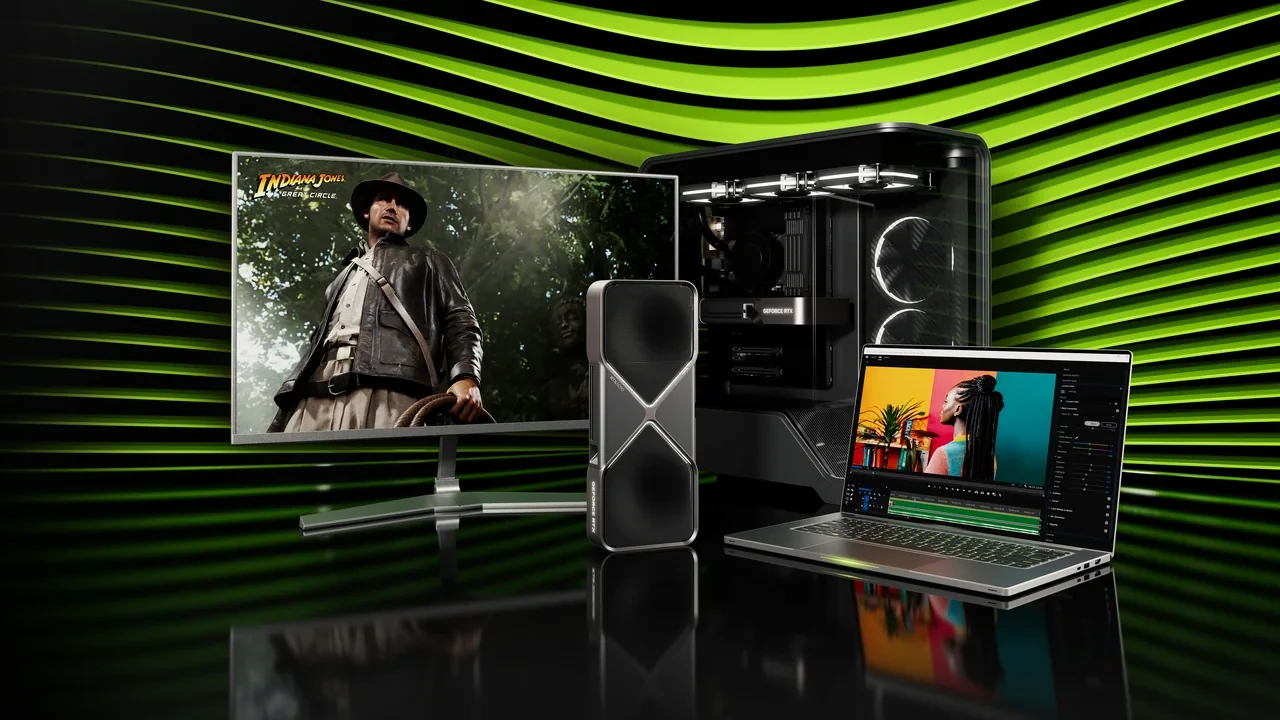
GeForce RTX 5090 D DLSS 5 best settings for development and play
DLSS 5 is scheduled to launch on 2026-09-03 at 21:00 PT, so real per-title figures should not be quoted before that release. Developer documentation and preview drivers can still support a test plan, but they can’t supply production-ready performance data.
The settings below apply to the desktop GeForce RTX 5090 D. They do not apply to the wider RTX 50 Series or to laptop, Mobile, Max-Q, SUPER, and Ti variants. For developers, technical artists, and players, the useful choice is the mode that fits the workload and passes checks for path tracing, latency, image quality, and reproducibility.
What the RTX 5090 D brings to a DLSS 5 build
The GeForce RTX 5090 D is the China-market desktop version of NVIDIA’s flagship RTX 50 Series card. It uses the same Blackwell-generation silicon family, with export-adjusted core counts and a board design aimed at high-resolution, path-traced PC games. Its settings policy depends on the following hardware limits:
- Render target headroom: enough VRAM and shader throughput to keep a 4K internal render budget realistic when path tracing is enabled, so upscaling mode choice is not forced by raw fillrate.
- Frame generation budget: the engine has spare frames per second to feed the frame generation pipeline, which means DLSS 5 modes can be evaluated against a real base frame instead of a starved one.
- Display pipeline: the card’s output chain and display support define the realistic cap for latency-sensitive work, especially when the engine is running at very high base frame rates.
A 4K cinematic with full ray-traced reflections needs a different mode from a competitive shooter at 1440p, and an editor viewport compiling shaders has different priorities again. One universal preset may look acceptable on average while failing during the heaviest scene.
What can be planned before the DLSS 5 launch
DLSS 5 is scheduled to launch on 2026-09-03 at 21:00 PT, and the GeForce RTX 50 Series is officially supported. Before per-title benchmarks arrive, studios can rely on that compatibility statement while keeping performance claims behind the launch gate:
- Driver previews may expose early DLSS 5 toggles, but quoting per-title FPS, frame-time variance, or image-quality scores from those builds is not appropriate for production test reports.
- Studio configuration matrices, preset policies, and test plans can be drafted against the RTX 50 Series as a class, but should reference the launch date as the gate for any per-title number that ends up in a ship-readiness review.
NVIDIA’s research page supplies the launch, compatibility, and mode details. The RTX 50 Series reference page gives producers and technical directors the family context needed for comparisons with neighboring generations.
What each DLSS 5 preset does
DLSS 5 retains the mode ladder established by earlier versions and places frame generation on top of it. Developers generally choose among four base modes:
- Quality: highest internal render resolution for a chosen output, used when the goal is the cleanest possible still image and the engine can still feed the display without frame generation.
- Balanced: the middle ground that most shipping titles default to, trading a small amount of detail retention for a meaningful base-resolution reduction.
- Performance: aggressive upscaling, used when the engine needs headroom for path tracing, heavy volumetric fog, or large particle counts.
- Ultra Performance: the most aggressive option, generally reserved for very high output resolutions or specific cases where the scene is otherwise GPU-bound.
Frame generation is a separate control in most engines. Because it changes latency independently of image quality, test all four base modes with frame generation both on and off. Record the results as a two-axis table before locking a preset.
Lock the test environment before choosing a preset
Two runs of the same configuration must produce comparable data. A small studio should record at least the following conditions:
- Pin the driver build, the game or engine build, and the OS patch level. Record the driver version and the GeForce RTX 5090 D board model in the test report.
- Disable variable refresh rate on the display, or at minimum record whether VRR is on, since frame-pacing analysis changes shape with VRR.
- Cap the frame rate at the display refresh rate or one frame below it, so the engine does not silently change which mode is feeding the display.
- Warm the card for ten minutes with a representative scene before capturing any data, and capture at least 60 seconds of continuous play, not a single frame.
- Record the same camera path for every mode, ideally a fly-through that exercises path-traced reflections, volumetric lighting, and at least one screen-space heavy beat.
- Capture frame time, not just average FPS, and log the 1 percent low and 0.1 percent low alongside the mean.
Without the warm-up, a first path-traced run can look faster than steady state because shader compilation and resident texture uploads haven’t settled. Average FPS can hide just as much: a mode that reaches its target on average but falls to 40 during a heavy beat may appear equal to one that holds 85 steadily. A ship-readiness review should accept the steadier mode. These controls make the rest of the matrix interpretable.
Choose the base mode by workload
Path-tracing cost and required detail retention determine the starting mode on this card. Use the table before considering frame generation.
| Workload | Suggested base mode | Output resolution | Why this mode |
|---|---|---|---|
| Path-traced cinematic, 4K output | Quality | 3840×2160 | Keeps the internal render target high enough that reflections and contact shadows survive upscaling, which matters most on hero beats. |
| Path-traced open world, 4K output | Balanced | 3840×2160 | Preserves the base frame rate that frame generation needs to interpolate cleanly, while freeing shader budget for the open world. |
| Path-traced open world, 1440p output | Quality | 2560×1440 | The lower output target allows a higher internal render, which keeps foliage and hair edges looking clean in motion. |
| Competitive or input-latency-sensitive title | Balanced | 2560×1440 or 1080p | Keeps the base frame rate high enough that frame generation latency overhead does not dominate the input-to-photon path. |
| Engine editor viewport, heavy shader compilation | Performance | Display native | Editor responsiveness matters more than image quality during iteration, and the viewport rarely runs the same lighting pass as the final build. |
| VR or high-Hz HMD target | Performance | Per-eye native | Per-eye fillrate is the constraint, and a stable base frame is more important than a higher-quality still image. |
These are starting points. Heavy screen-space reflections or aggressive god rays may require dropping one step, while a GPU-light stylized game may hold Quality where the table suggests Balanced. Confirm any move with the test plan rather than treating the table as a final setting.
Evaluate frame generation separately
Combining frame generation and base-mode choices in one result produces inconsistent reports. Test them independently:
- Base mode controls image quality and the amount of GPU work per output frame.
- Frame generation controls how many synthetic frames are inserted between rendered frames, which changes perceived smoothness and adds a fixed latency cost that varies by implementation.
Frame generation is usually on for a path-traced cinematic because the highest-quality base mode may not feed a high-Hz display by itself. It is usually off for competitive or latency-sensitive games, where the latency cost can outweigh smoother presentation. A single-player action game may use frame generation with a slightly more aggressive base mode to balance image quality and motion. State the category for every scene so the next tester doesn’t have to infer it.
Measure the input-to-photon latency budget
Set at least a rough latency budget before choosing settings for the GeForce RTX 5090 D. Measure these components in order:
- Engine simulation step: fixed by the game design and the engine frame pacing policy, not by DLSS.
- Render submit: the time between simulation and the GPU starting work, which the developer can usually tune with a frame queue length.
- GPU render time: the per-frame cost, which is the thing the base mode choice most directly affects.
- Frame generation overhead: the latency that the frame generation pipeline adds, which is implementation-defined and usually documented in the engine’s DLSS integration guide.
- Display pipeline: scanout, scaling, and the display’s own pixel response, which is hardware-fixed.
If Quality raises GPU render time from 6 ms to 11 ms, it has already added 5 ms before frame generation enters the calculation. Frame generation may smooth presentation, but it doesn’t recover those 5 ms. For an action game targeting a 1-frame input feel, the base mode can matter more than the frame-generation toggle. A 1440p Balanced preset with frame generation off may therefore feel faster than 4K Quality with frame generation on, even when their average FPS matches.
Inspect image quality in motion
DLSS 5 image quality has several distinct failure modes. NVIDIA’s research page for the launch defines the underlying modes; a preset review should inspect each of these problem areas:
- Hair and foliage edges against high-contrast backgrounds, where temporal stability problems usually appear first.
- Thin geometry, especially chain-link fences, power lines, and grass blades, which are the canonical test for reconstruction artifacts.
- Specular highlights on moving objects, where ghosting on a moving reflection is often the first sign of a too-aggressive mode.
- Particle-heavy beats, such as smoke and sparks, where reconstruction can either smear or double up depending on the mode and the temporal feedback.
- UI elements, which should remain crisp regardless of mode. A blurry HUD usually means the upscaler is being applied to UI, which is a configuration bug, not a DLSS 5 problem.
- Motion during fast camera turns, where the perceived sharpness drop is more visible than in stills and is the most common source of player complaints.
Record every beat on a fixed camera path for side-by-side review. Stills help with reference detail, but they miss temporal problems that appear during half a second of motion. A short clip for each preset, played at half speed, can reveal more in a 30-second review than 200 stills from the same path. Storage use is roughly comparable once the rig is already recording frame-time data.
Set measurable validation gates
A shippable preset needs pass or fail criteria. Use at least these gates for the GeForce RTX 5090 D:
| Gate | What it measures | Acceptable value | Failure mode it catches |
|---|---|---|---|
| Mean frame time | Average per-frame cost for the chosen camera path | Within budget for the target output and refresh rate | A mode that is technically “fast enough” on average but uncomfortable to play. |
| 1 percent low | Worst 1 percent of frame times during the run | No more than 1.5x the mean | Occasional heavy beats that the mean hides. |
| 0.1 percent low | Worst 0.1 percent of frame times | No more than 2x the mean, or as specified by the design lead | The single stutter that QA reports as “the game froze for a frame”. |
| Image quality inspection | Checklist of the six failure categories | No new artifacts versus the previous accepted preset | Regressions introduced by a new mode or a driver change. |
| Input-to-photon latency | End-to-end latency on the test rig | Within the design target for the title category | Frame generation left on where it should not be. |
| Reproducibility | Two runs of the same preset on the same driver | Within 2 percent on mean and 1 percent low | Shader compilation, thermal drift, or scene seeding. |
Run the same gates for every preset candidate and record the results. A criterion that exists only in the policy and never runs during testing isn’t a gate.
Common RTX 5090 D configuration mistakes
Most preset failures in a studio bug tracker come from a short list of mistakes, each with a recognizable symptom.
- Running a path-traced scene on Ultra Performance at 4K because the average FPS looked fine. The diagnostic is shimmering hair edges and doubled specular highlights in motion.
- Leaving frame generation on for a competitive title and blaming the engine for the input lag. The diagnostic is a measured input-to-photon latency above the design target.
- Applying DLSS to the UI layer by accident, usually through a post-process volume that catches the whole frame. The diagnostic is a sharp in-world scene and a blurry HUD.
- Quoting per-title FPS from a driver preview before the official launch. The diagnostic is a review where the number shifts between driver builds, which is exactly the launch-data gate the policy is meant to enforce.
- Locking the preset to Balanced for the whole game because it was the default. The diagnostic is a frame-time spike in the one heavy beat that the default was not tuned for.
- Validating the preset on a single camera path and assuming the rest of the game behaves the same. The diagnostic is a clean report for the test path and player reports of stuttering in a level the test never visited.
These failures usually recur because someone skips diagnosis and changes the wrong layer. Put each symptom in the preset checklist so the next tester can identify the cause before changing settings.
Write the preset policy for later reviews
The preset policy turns test results into shipping configuration. For an RTX 5090 D build, include four parts:
- Workload matrix: which scene categories the game ships with, and which base mode is the default for each.
- Override rules: the conditions under which the engine is allowed to switch modes automatically, such as a frame-time trigger or a memory-pressure trigger.
- Frame generation policy: when frame generation is on, when it is off, and how that interacts with the override rules.
- Validation gates: the frame-time variance, the 1 percent low, and the image-quality checks a build has to pass before the preset is considered shippable.
Validation gates are often skipped because they require the full scene catalog, yet they provide the evidence for changing a preset in the next patch. Attach the test report to the policy as an appendix, including the camera path, driver build, and board model. A reviewer six months later can then see why the current default was chosen.
Where the RTX 5090 D fits in the RTX 50 Series
The RTX 5090 D belongs to the wider Blackwell-generation GeForce RTX 50 Series and shares much of its settings structure with nearby models. Two family-level facts matter when comparing builds:
- DLSS 5 is an RTX 50 Series feature, which means the lowest-tier card in the family and the flagship share the same mode taxonomy, even if the realistic mode choice on the lower-tier card is different.
- The desktop and laptop form factors diverge on thermals and power, which means a preset validated on a desktop RTX 5090 D is not a defensible default for a laptop part, even within the same family.
The RTX 50 Series overview covers both points. A settings table broad enough for every card would be accurate for none of them, so these recommendations remain specific to the RTX 5090 D.
When to rerun the preset matrix
Rerun the RTX 5090 D matrix after any of these changes:
- A new driver branch from NVIDIA that changes DLSS behavior, which usually lands as part of the DLSS 5 launch cycle.
- A new engine version that changes the post-process order, the frame queue, or the way the editor viewport hooks into the rendering pipeline.
- A new scene category added to the game, especially one that introduces a new lighting pass or a new kind of heavy beat.
- A display change, particularly a move from a 4K 60Hz target to a 1440p high-Hz target, which usually flips the frame generation decision.
- A new path-tracing feature that the previous matrix was not built around, such as a new kind of reflection or a new global illumination pass.
- A reported regression from QA or from a playtest, which is the trigger that most often gets ignored because it is not on a schedule.
Each trigger should produce a new report that references the previous pass. That history explains the defaults after the original tester has moved on and prevents later preset changes from looking arbitrary.
When a studio needs outside validation
A studio without an in-house PC rendering lead may need a partner to validate the card-specific matrix, especially for a path-traced or heavy post-process build. Keep the engagement narrow: select the scene catalog, agree on validation gates, run the matrix, and return a preset policy with its test report. That avoids receiving a settings file with no supporting evidence. The same scope can help a studio size an internal PC rendering hire.
Record every RTX 5090 D test pass
A defensible report identifies the driver build, game build, scene, and camera path. At minimum, record the driver version, game or engine build hash, OS patch level, board model and serial, scene name, camera path identifier, output resolution, base mode, frame-generation state, mean frame time, 1 percent low, 0.1 percent low, and every image-quality issue found during inspection. Store these as machine-readable fields where possible so later passes can be compared without extracting data from prose.
Frequently asked questions
When does DLSS 5 officially launch for the GeForce RTX 5090 D?
DLSS 5 is scheduled to launch on 2026-09-03 21:00 PT, and the GeForce RTX 50 Series is an officially supported product family. Per-title performance data should be treated as launch-data gated until that release time, and driver preview numbers should not be quoted in production test reports.
Is the GeForce RTX 5090 D the same as the standard RTX 5090?
The GeForce RTX 5090 D is the China-market desktop variant of the RTX 5090, sharing the same Blackwell generation but with export-adjusted core counts. The settings menu and the DLSS 5 mode taxonomy are the same, but a preset validated on one card is not automatically valid on the other because the underlying shader and memory budget differ.
Which DLSS 5 mode is best for a path-traced 4K scene on this card?
For a path-traced cinematic at 4K output, Quality is the defensible starting base mode, because it preserves enough internal render resolution for reflections and contact shadows to survive upscaling. For a path-traced open world at 4K, Balanced is usually the right starting point, with the validation gates deciding whether the final preset steps up or stays where it is.
Should frame generation be on for a competitive title on the GeForce RTX 5090 D?
Usually no. Frame generation adds a fixed latency tax that the implementation defines, and that tax tends to dominate the input-to-photon path for a competitive title. A competitive build is usually better served by a more aggressive base mode at a lower output resolution, with frame generation left off.
How do I validate a preset on the GeForce RTX 5090 D before shipping?
Lock the driver, the game build, and the OS patch level, then run the preset matrix against a fixed camera path that exercises path-traced reflections, volumetric lighting, and a heavy post-process beat. Capture frame time, not just average FPS, and log the 1 percent low and 0.1 percent low alongside the mean. The preset is shippable when the validation gates in the preset policy are met across the full scene catalog.
Can I apply DLSS 5 to the HUD or UI elements?
It should not be applied to the UI. A sharp in-world scene with a blurry HUD is almost always a configuration bug, usually a post-process volume that catches the whole frame. The upscaler should be restricted to the world render target, with the UI composited on top after the upscale step.
How does the RTX 5090 D compare to the rest of the RTX 50 Series for DLSS 5 work?
The RTX 5090 D belongs to the wider Blackwell-generation RTX 50 Series, and DLSS 5 is available across the family. A preset validated on this card won’t transfer cleanly to a lower-tier model because its realistic base mode and frame-generation policy change with shader and memory resources. Use the RTX 50 Series overview for wider product context.
What is the most common configuration mistake on this card?
Locking the whole game to one mode, usually Balanced, simply because it was the default. Use a workload matrix with a base mode for each scene category, override rules for automatic switching, and a separate frame-generation policy.
Do driver preview numbers count as a valid test result?
For a production test report on a GeForce RTX 5090 D, no. Driver preview builds may expose early DLSS 5 toggles, but per-title FPS, frame-time variance, and image-quality scores from those builds are not stable enough to defend in a ship-readiness review. The official launch is the gate, and any number quoted in a report should reference the driver and game build that the test actually ran on.
Where should a preset policy be stored so it survives the next patch?
In the same place as the engine’s other configuration artifacts, with a version history that records every preset change, the test report that justified the change, and the validation gates that the next test has to beat. That history is what makes the preset policy defensible the next time a producer asks why the defaults are what they are.





Leave a Reply